
Cybersecurity at home and in your business isn’t just about stopping hackers. It’s about protecting what matters most: your information, privacy, and peace of mind. With smart locks, CCTV, alarm systems, and other connected devices everywhere, technology makes it easier than ever to protect ourselves. Still, all that convenience brings fresh risks. A solid cybersecurity setup goes well beyond antivirus software and covers your smart devices and digital habits.
Building Cybersecurity for Your Home and Business: Where to Start
Jumping into cybersecurity doesn’t have to be overwhelming. The key is knowing the basics, figuring out your weak spots, and beefing up protection where it counts. Whether you’re protecting your house or your company’s network, a few foundational steps can really make a difference.
In my experience, most breaches happen because people overlook basic stuff. Weak passwords, outdated devices, unsecured WiFi, and poor backup habits open the door for troublemakers. The good news is, the latest tools—like smart locks, integrated CCTV, and cloudmanaged alarms—give you way more control and convenience. Of course, they still need digital TLC to be truly secure.
Here’s a stat that really sticks out: Over half of small businesses affected by cyberattacks didn’t fully recover. At home, lost family photos or personal info can feel just as bad. That’s why a practical approach using the right mix of device security and digital hygiene is the smartest move.
Smart Devices: How to Protect Your Home and Business WiFi, Locks, and Cameras
The more gadgets you hook up to your network, the more ways someone can slip in. Smart locks and alarm systems bring comfort, but skipping security setup is basically like leaving a key under your doormat. Here’s how to make your connected devices work for you, not against you:
- Set Unique, Strong Passwords: Default passwords are a goldmine for hackers. Give every device—and your main WiFi—a different, long password that’s tough to guess.
- Update Firmware Regularly: Manufacturers push out security updates constantly. Build the habit of checking for device updates at least once a month.
- Network Segmentation: Put your smart cameras and IoT gadgets on a separate WiFi guest network, so if one gets compromised, your main devices stay safe.
- Change default settings: Deactivate features you don’t use (like remote unlock), and lock down those admin controls.
For business owners, central device management platforms make it much easier to keep everything patched and current. At home, your smartphone or tablet can be your allinone smart security dashboard—just keep it just as secure as you would any other key device.
Advanced Protection: Threat Detection and Secure Networks
Basic protection helps, but cyber threats are constantly changing. That’s where advanced detection and secure network setups come in. These solutions sound complicated but today, many are very userfriendly.
- Intrusion Detection Systems (IDS): These keep an eye on your network traffic and flag anything suspicious. Some routers even have built-in IDS features. It’s a whole extra layer for spotting trouble before it gets serious.
- Firewalls: Every home and business should have a strong firewall. Most routers arrive with one turned on—just double-check the settings so it’s actually doing its job.
- VPN (Virtual Private Network): Using a VPN on your business network (and even at home, especially when working from a coffee shop or hotel) helps hide your traffic and cuts the risk of snooping.
- MultiFactor Authentication (MFA): Adding an extra step to your login—like a text or app-based code—makes it much tougher for crooks to get access even if they luck out with your password.
When I set up advanced threat detection for clients, they’re often shocked at how many probing attempts their network gets every week. Even simple, routerlevel security features can lock down your digital space without nonstop babysitting.
Alarm Systems, CCTV, and Smart Locks: Physical Security Meets Digital Safety
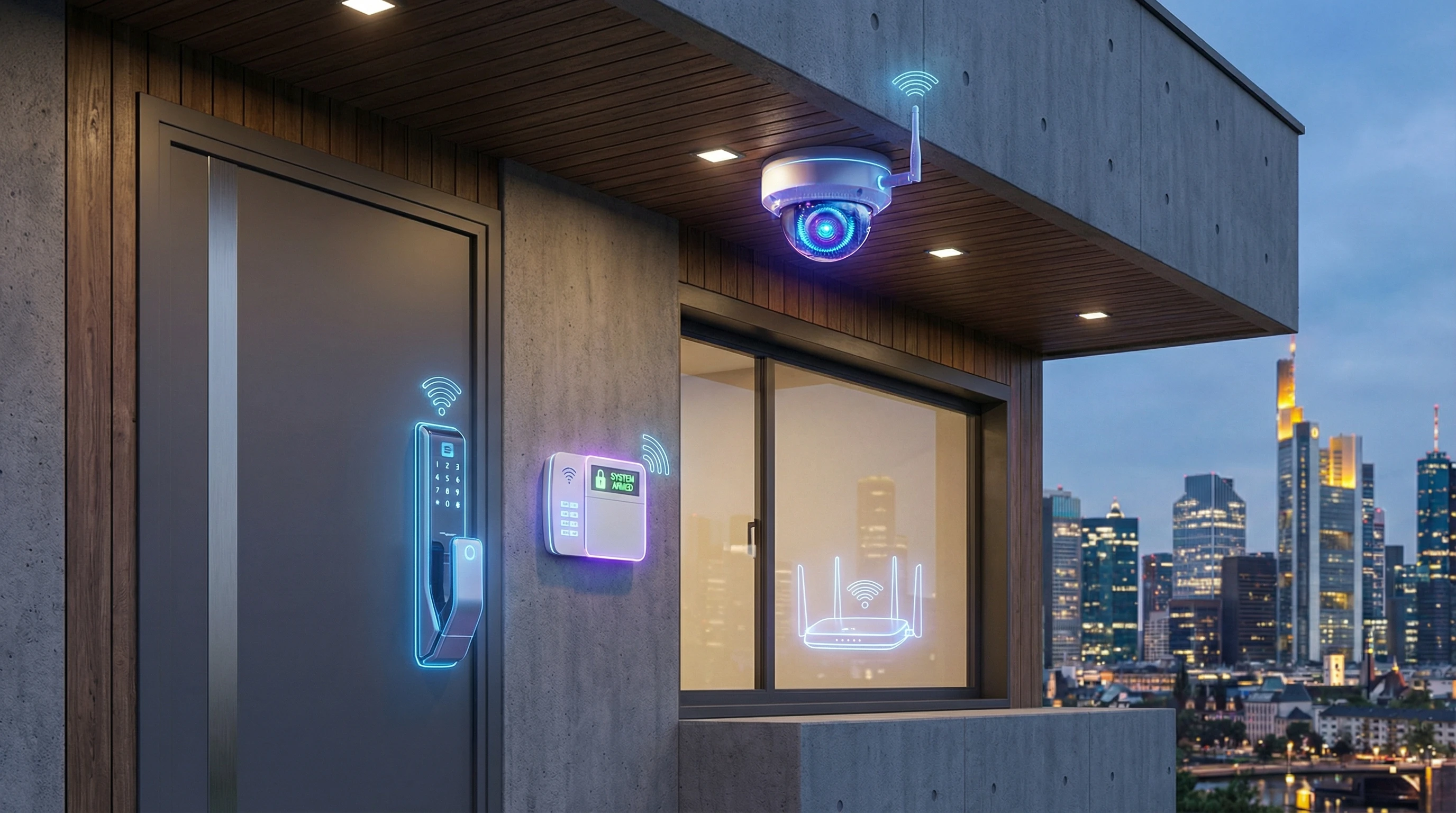
Security tech once focused on scaring off burglars, but now it’s about mixing physical protection and strong cybersecurity. Smart locks, alarm panels, and CCTV cameras all connect to the internet for next-level cool features like remote control and instant alerts, but this also makes them targets.
Here’s my advice for home users: Stick to brands with a good record for regular updates and straightforward security settings. For businesses, a unified security dashboard can make overseeing multiple cameras and lock systems far less stressful, and a lot of options now come with easy cloudbased management.
- Set up strong admin credentials: Avoid obvious or default usernames and passwords that anyone could guess.
- Regularly check activity logs: Many smart alarms and CCTV systems keep lists of logins and activity. Checking these logs helps you spot anything odd.
- Secure your mobile devices: Every phone or tablet that can access your smart security devices acts as a master key. Be sure to set up PINs, biometric locks, and manage app permissions carefully.
- Back up important footage: If you use cloud storage for security videos, make sure the data is encrypted and backed up outside your main network. That way, a technical glitch or attack won’t make you lose it all.
Pro Tips for Staying Ahead: Simple Habits That Improve Cybersecurity
I’ve seen a handful of small changes make a massive difference for friends and clients—at home and at work. Even the best hardware won’t stop you from falling for a clever scammer or making a sloppy mistake. Simplicity and consistency win the game.
- Watch out for phishing emails: Many emails look totally legit at first, but hovering on the link or rereading will show weird links or odd wording. Don’t hand out info unless you’re 100 percent sure who you’re dealing with.
- Use password managers: It’s tough to track dozens of passwords. A password manager creates and remembers strong ones for you—just keep your master password memorized.
- Regular backups: Whether it’s baby photos on your laptop or business paperwork, backing up important data to a separate drive or secure cloud storage is a total lifesaver if something goes wrong.
- Learn the signs of compromised devices: If your smart lock acts odd, your security camera flashes unexpectedly, or anything feels out of place, dig into the settings and reach out for tech support if you’re unsure.
- Educate your household or team: The people using devices are usually the weakest link. Quick awareness sessions or sharing good advice (like tips from FTC guides) go a long way.
If you make these tips second nature, you’ll be ahead of the curve when it comes to cybersecurity.
Cybersecurity Checklist: Steps for Homeowners and Business Owners
Breaking things down into an easy checklist always comes in handy when there’s a lot going on. Here are my top action items I recommend to friends, family, and new clients alike:
- Secure Your WiFi: Change any factory credentials and use encryption (WPA3 is best if your gear supports it).
- Update Everything: Updates fix security holes, so turn on auto-updates wherever you can.
- Install Solid Antivirus/Antimalware: Even careful folks can end up with a nasty download or sketchy site.
- Manage Smart Devices: Double-check which devices are on your network and boot off any unknowns.
- Back Up Data: Have both local backups (external drives) and encrypted cloud copies.
- Use Alarms, Cameras, & Locks Wisely: Turn on remote notifications and check access history often.
Adding these practices to your routine can help keep you covered with minimal hassle.
Frequently Asked Questions about Home and Business Cybersecurity
With all the new tech on the market, lots of people have questions. Here are some that I hear over and over:
Question: How do I know if my smart lock or camera has been hacked?
Answer: Watch for strange behaviors. Unexpected unlocks, odd noises, or random changes to settings are warning signs. Most smart device platforms let you check login histories, so looking over those logs can make it easier to spot suspicious activity.
Question: Do small businesses really need advanced cybersecurity?
Answer: Absolutely. Even solo businesses have valuable data—customer records, invoices, and more—so a few basic improvements can drop your risk without costing a fortune.
Question: What’s the best way to choose a secure smart device?
Answer: Dig into the brand’s track record, see if they update firmware regularly, and confirm it’s easy to change defaults and turn on extra security. Trusted review sites or cybersecurity news outlets like Dark Reading will give you good pointers.
Question: How often should I run updates on my devices?
Answer: At least once a month, or turn on automatic updates to stay current without thinking about it.
Keeping Your Home and Business Safe for the Long Haul
You don’t need a fortune or your own IT squad to keep your home or business secure. It all comes down to being aware and sticking to a handful of proactive habits. Get strong hardware, stick to regular software updates, use your alarms and cameras smartly, and mind your daily digital habits. These will help you stay a step ahead of the bad guys. Everyone’s situation is a little different, so if something feels strange or complicated, don’t hesitate to ask for help.
Staying informed and tuning up your setup as tech changes is the real secret. Take things one step at a time—each small upgrade or routine checkup helps keep your digital world safer and less stressful.

0 Comments